
Powering consumer diagnostics
Connect your laboratory once. Launch the next program faster.
Connect Solia to the systems already running your lab and reuse the same infrastructure across new partners and diagnostic Programs.
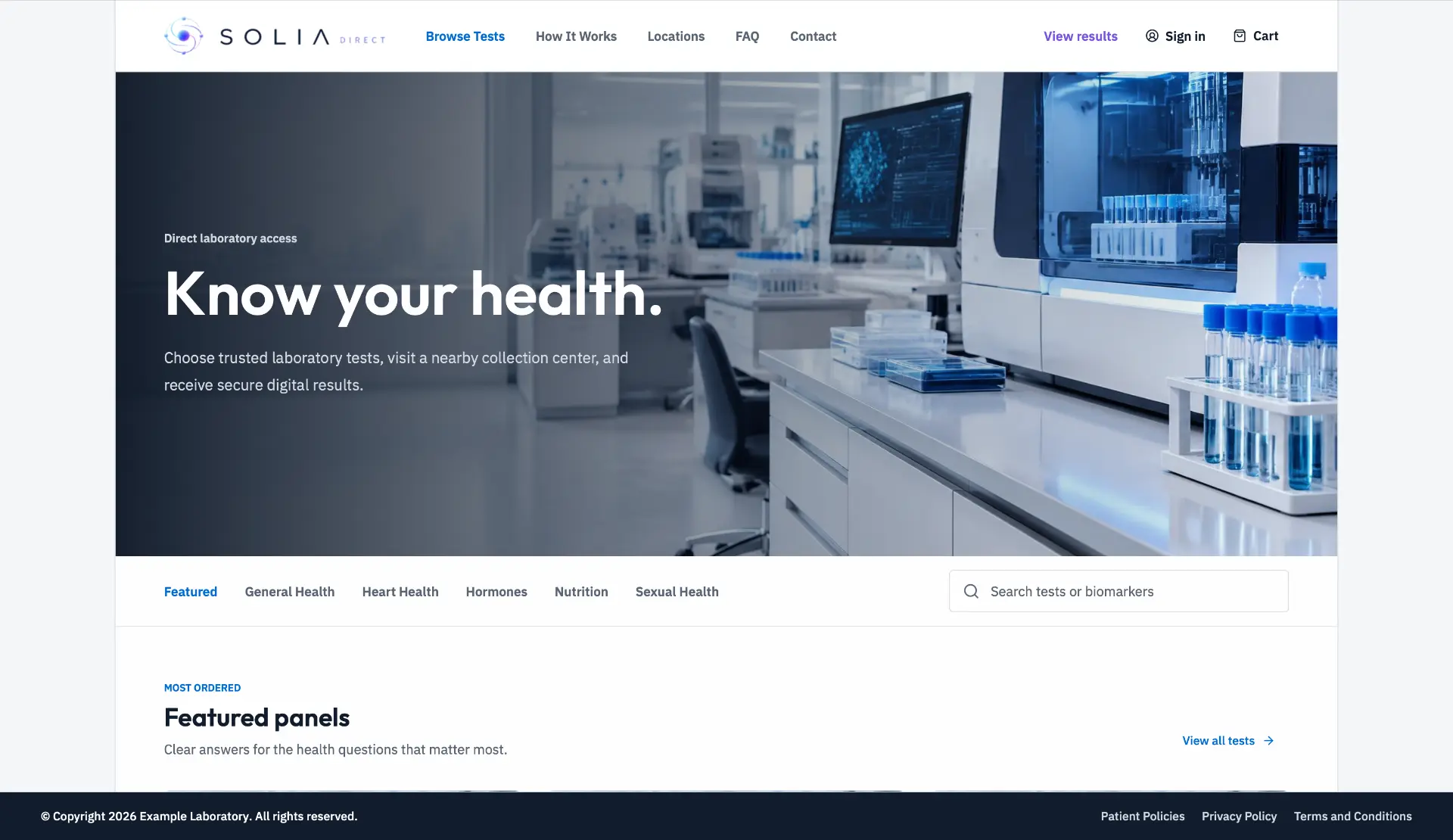
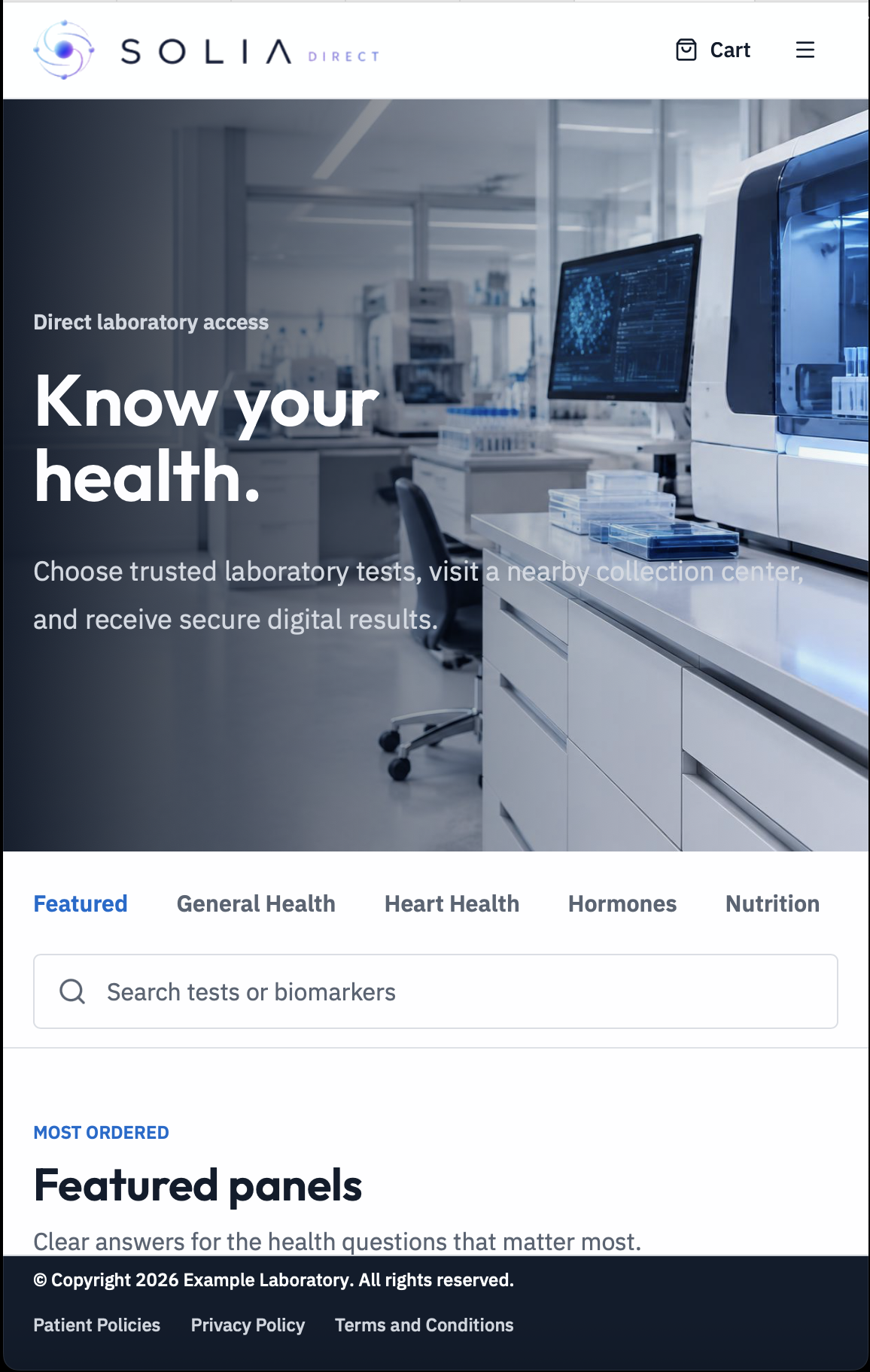
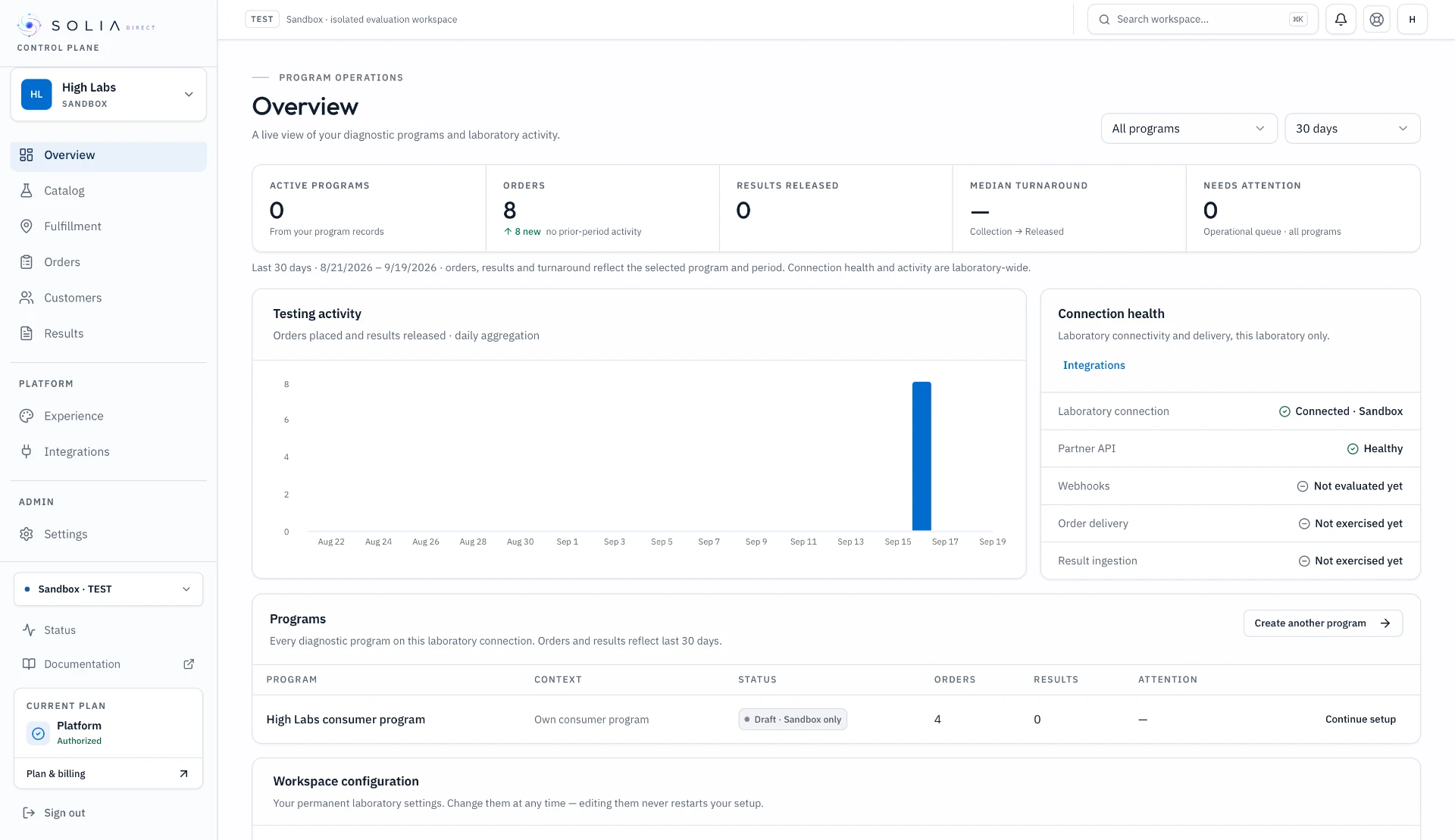
Product views use demonstration data. The consumer experience is a live reference implementation.
Keep your LIS/LIMS. Connect Solia around it.
HTTPS / JSON
Self-service Solia Lab Contract
HL7 / FHIR / SFTP
Managed interfaces
The problem
Every new partner shouldn’t become another custom integration.
Your lab already has the testing capacity. Solia turns repeated partner integration work into infrastructure your laboratory can reuse.
92%
of surveyed providers are offering or exploring patient-initiated testing.
76%
of provider respondents expect patient-initiated demand to significantly change diagnostics within three years.
74%
of surveyed providers say their systems are not integrated across the end-to-end diagnostic journey.
The Solution
One laboratory connection. One Partner API.
Configure your laboratory once. Reuse the same catalog, mappings, workflows and connectivity across every compatible program.
- 01
Configure your laboratory
Define tests, serviceability and operating requirements once.
- 02
Launch a program
Configure the partner, catalog, rules and commercial model.
- 03
Operate fulfillment
Orders, specimens, results and exceptions move through one workflow.
- 04
Launch the next program faster
Reuse the same laboratory foundation.
Your lab stays the fulfillment provider. Solia is the operating layer around it.
Meet Solia
The operating layer around your laboratory.
Solia Direct is an operating and connectivity layer for diagnostic laboratories. Connect the laboratory once and reuse that infrastructure across multiple Programs and partners through one Control Plane and Partner API—without replacing the LIS/LIMS.
Programs / Partners
Solia Core
Laboratory Systems
Programs
Distinct diagnostic channels on one laboratory foundation.
Serviceability
Where each test can be ordered and fulfilled.
Orders
One operating path from order through fulfillment.
Results
Structured results returned through the same connection.
Webhooks
Signed events delivered to connected partners.
01 — Partner API
Give every partner one modern API into your laboratory.
Give partners access to catalog, ordering, status and results without rebuilding the connection for every Program.
Partner API
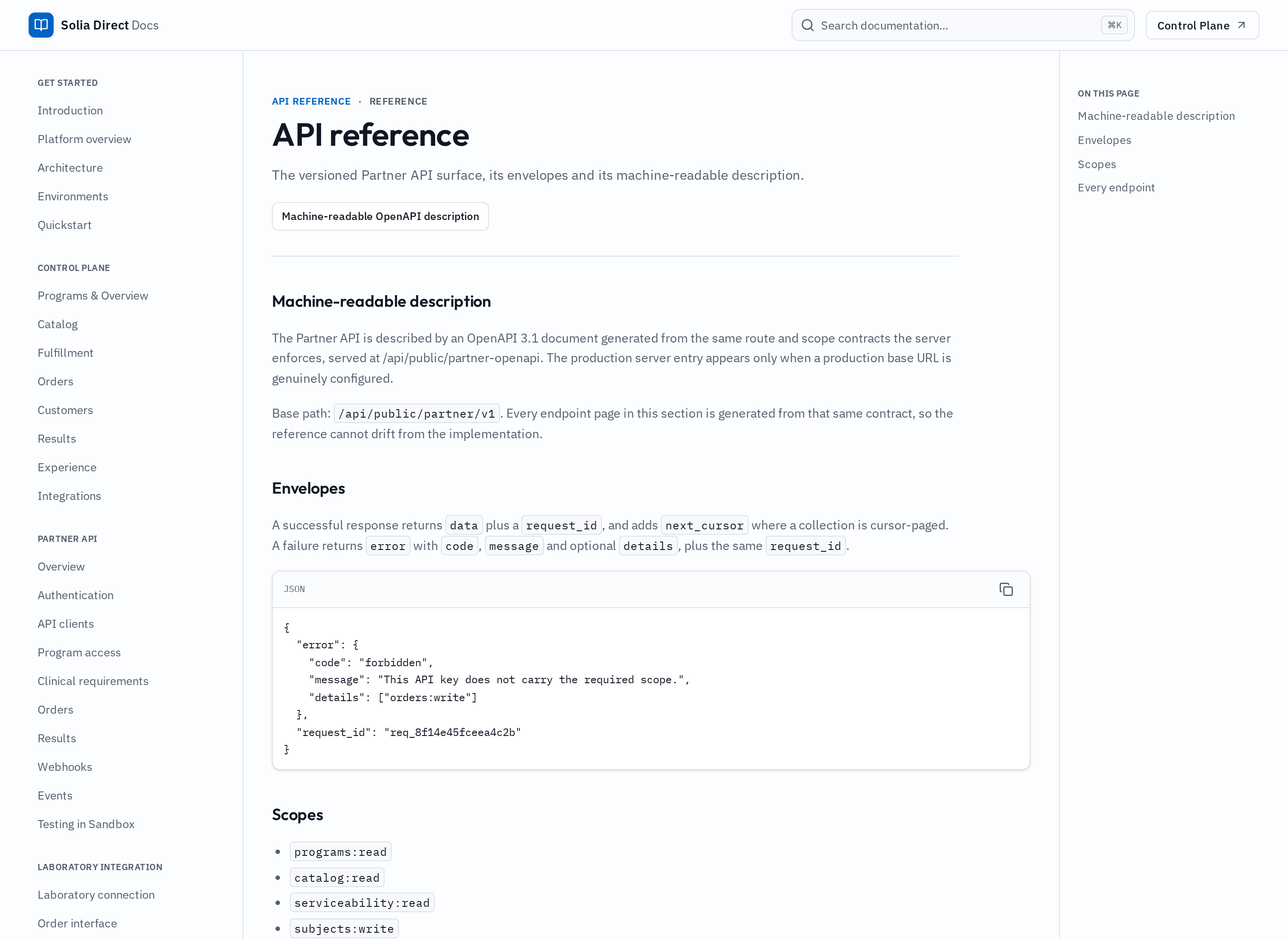
API clients · Scopes · Webhooks
Program-scoped access
Each partner sees only its approved catalog, serviceability and workflows.
One order lifecycle
Create orders, track status and receive released results.
Sandbox and Production
Separate credentials and data for evaluation and live programs.
02 — Control Plane
Operate every program from one place.
Programs, catalog, orders, results, integrations and readiness—one operating surface.
Control Plane
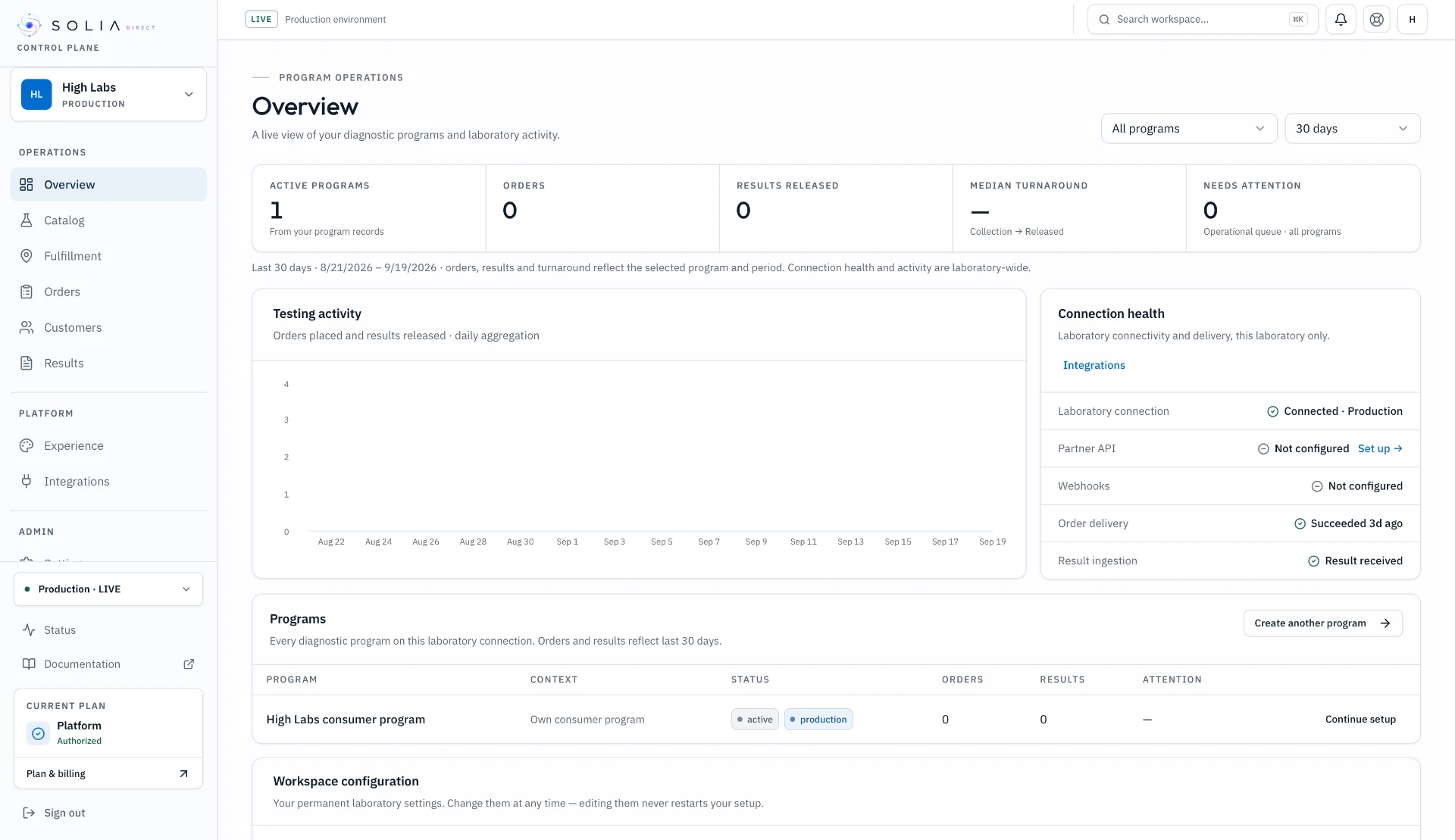
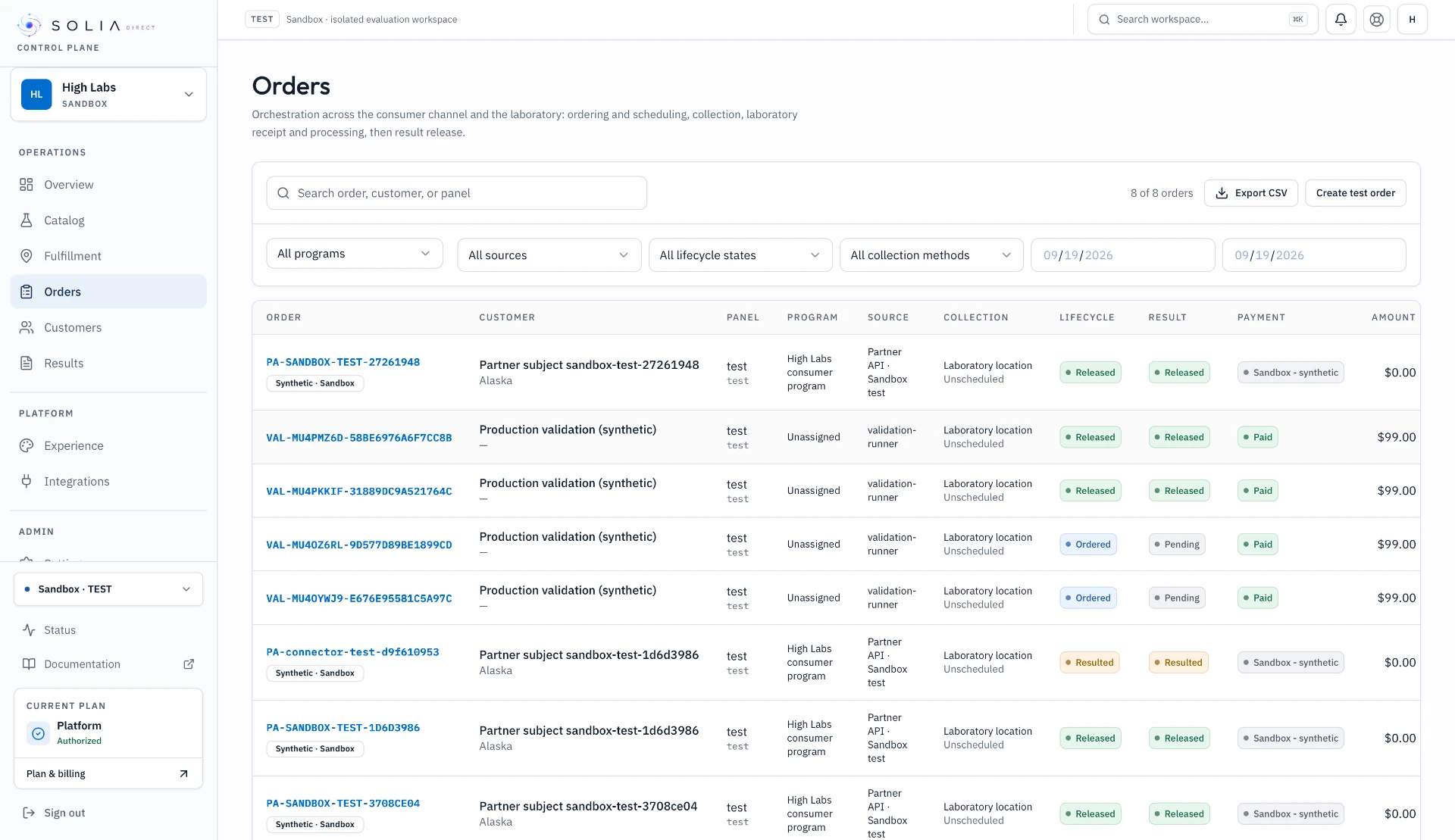
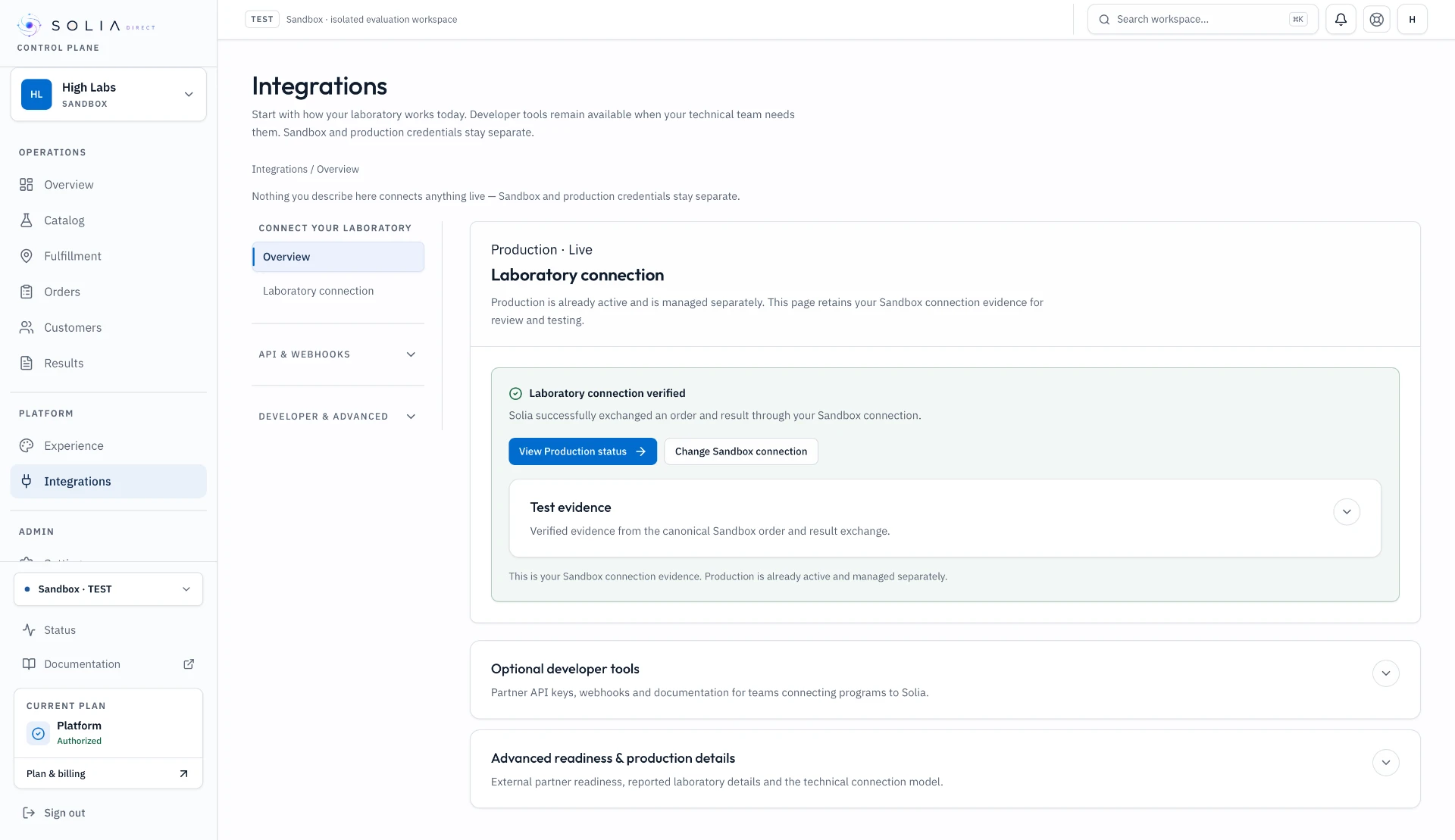
Overview · Orders · Integrations
Program operations
Partners, catalogs, rules and access in one interface.
Orders and exceptions
Monitor orders, specimens, results and operational issues.
Production readiness
See what is ready and what still blocks activation.
03 — Lab Adapter
Connect to the laboratory you already operate.
Map Solia to your LIS, LIMS, API, files or supported interface without replacing your laboratory systems.
Lab adapter
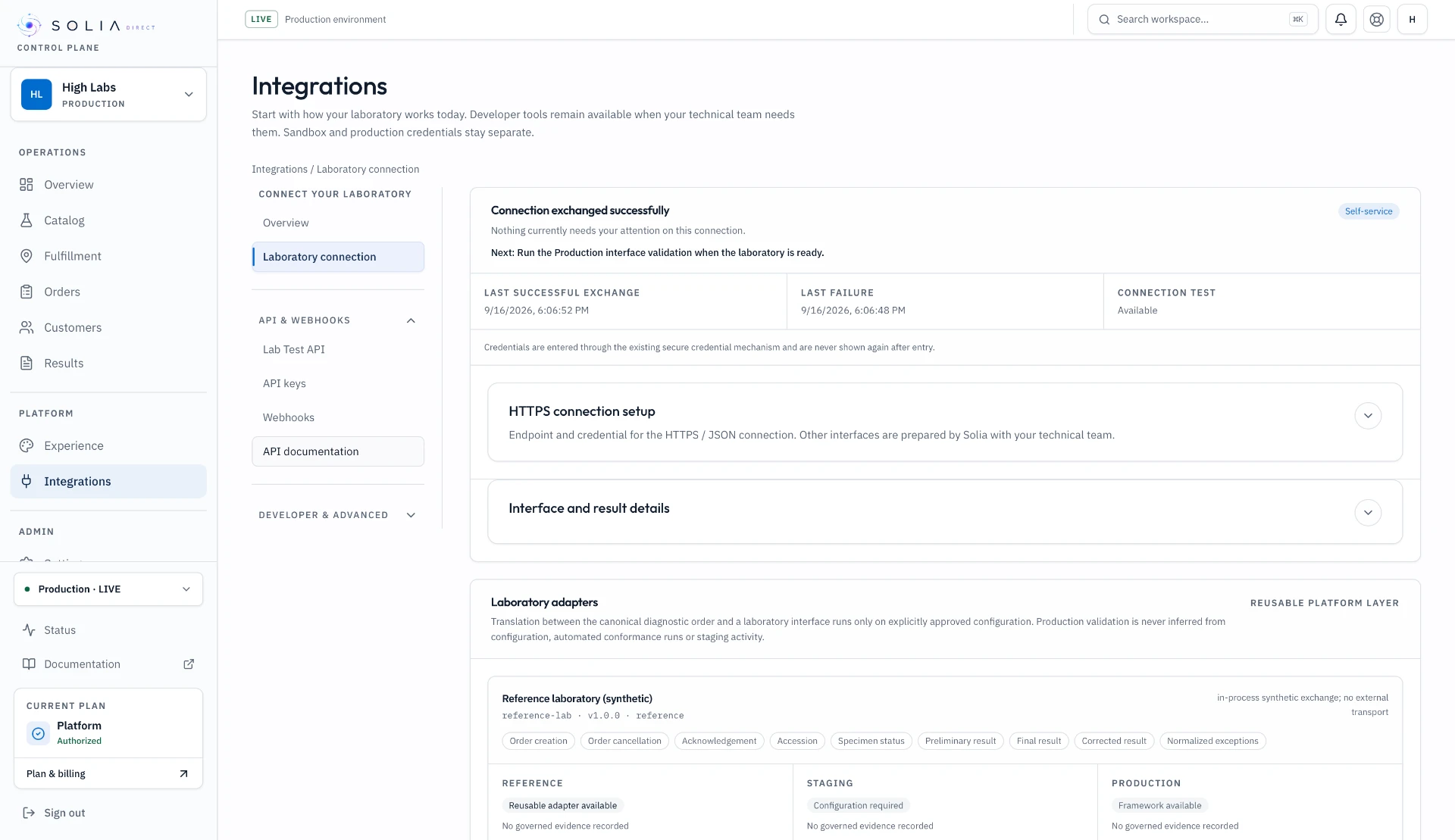
Existing laboratory infrastructure stays in place.
Existing systems
Connect the laboratory interfaces already in place.
Validated mappings
Translate catalog, order, status and result concepts explicitly.
No replacement required
Laboratory operations and official results stay in your systems.
04 — Consumer Experience
Launch DTC on the same laboratory foundation.
Use the same catalog, workflows and results infrastructure to launch a branded consumer program.
Consumer experience
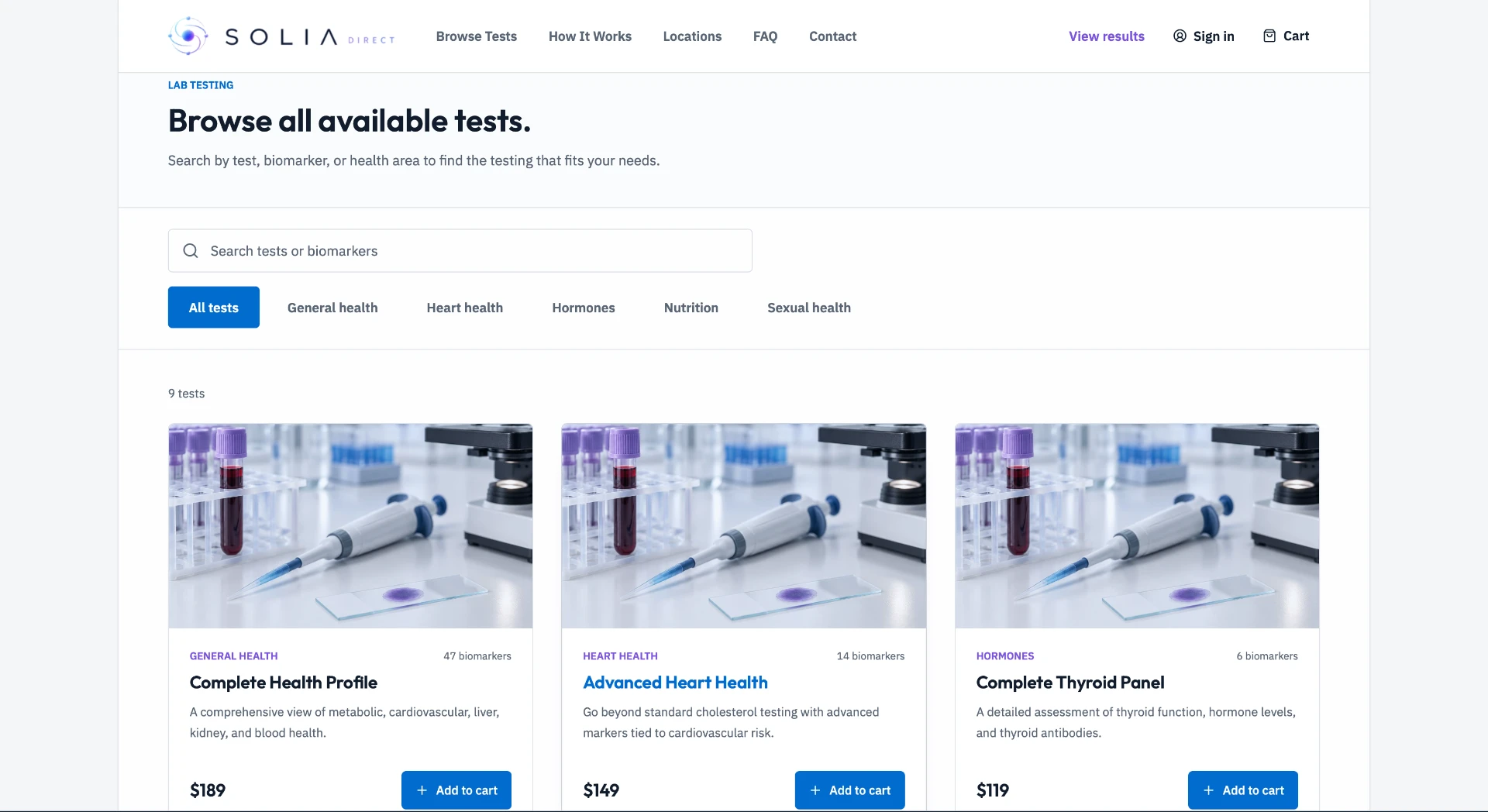
- Result released
- History added
- Prior vs current
- Next test
Live reference implementation. Content shown is reference data, not production laboratory evidence.
Laboratory brand
Launch under your brand and domain.
Connected workflow
Discovery, ordering, collection and results use the same foundation.
Reusable infrastructure
Do not build a separate stack for lab-owned DTC.
Partner API
API clients · Scopes · Webhooks
One laboratory connection. Multiple Diagnostic Programs.
One platform. Multiple program models.
Power partner programs—or launch your own.
Same laboratory. Same infrastructure. Different program.
Primary path
Partner-led programs
Power testing for health, wellness, employer, provider and other partner programs through one reusable laboratory connection.
Secondary path
Lab-owned DTC
Launch a branded consumer program using the same laboratory, catalog and workflows.
See the platform
From laboratory setup to live program.
Configure the reusable laboratory foundation, validate it, then activate approved programs.
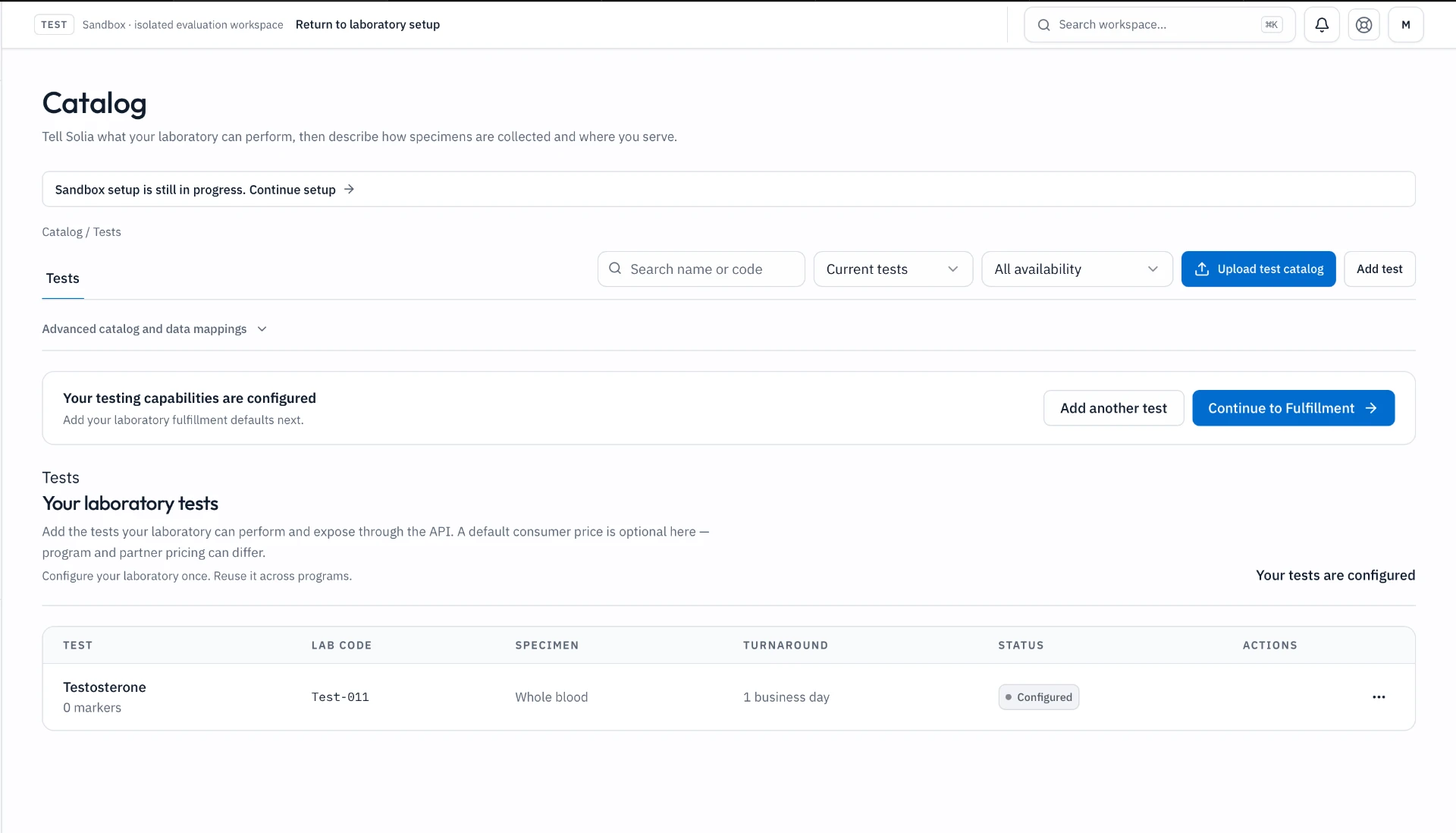
01
Configure the laboratory
Add your tests, serviceability and operating model.
- Set up the laboratory’s capabilities
- Configure the partner’s program
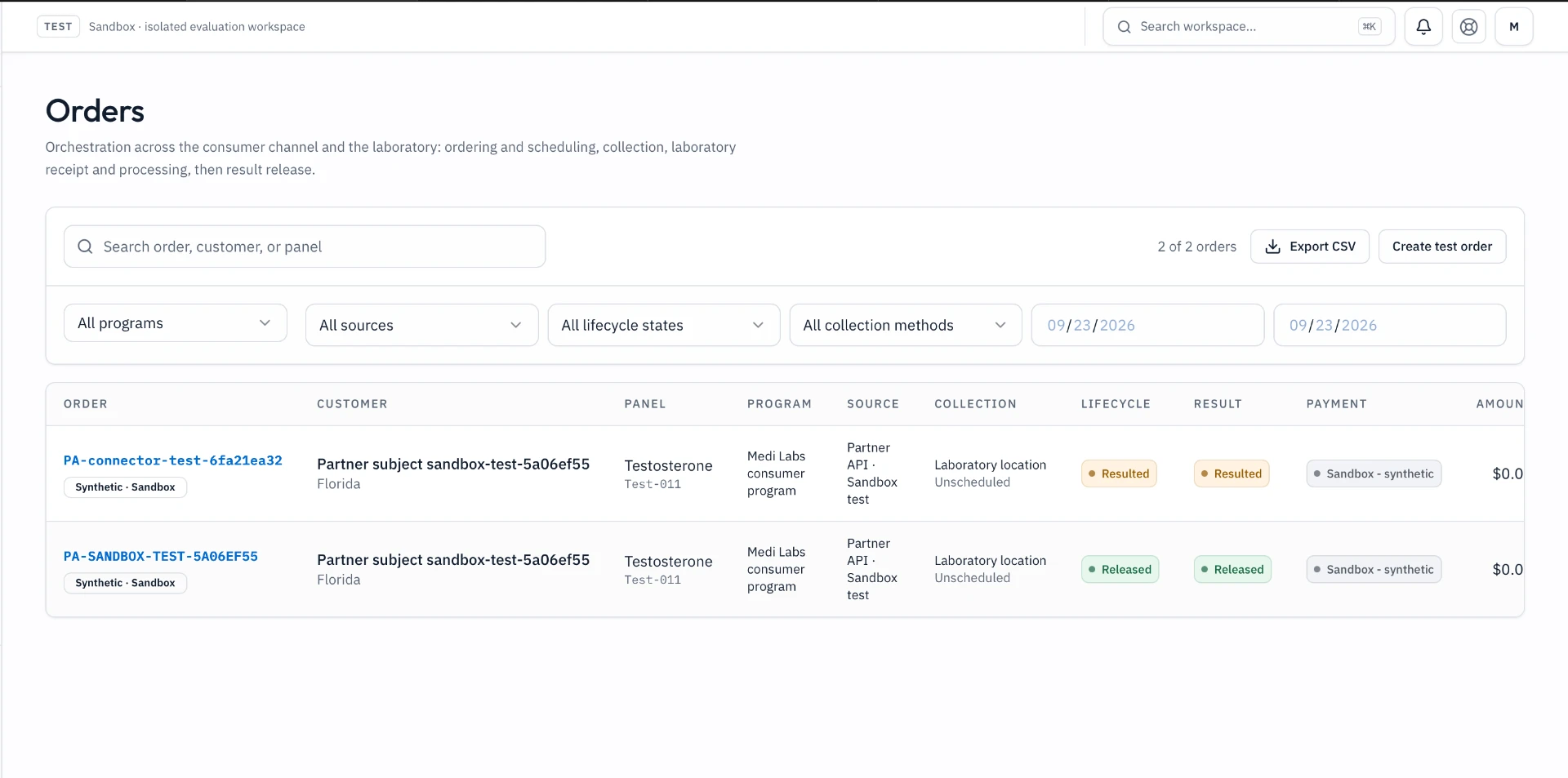
02
Prove it in Sandbox
Run a synthetic partner order through the workflow.
- Validate a synthetic order
- Follow status through released results
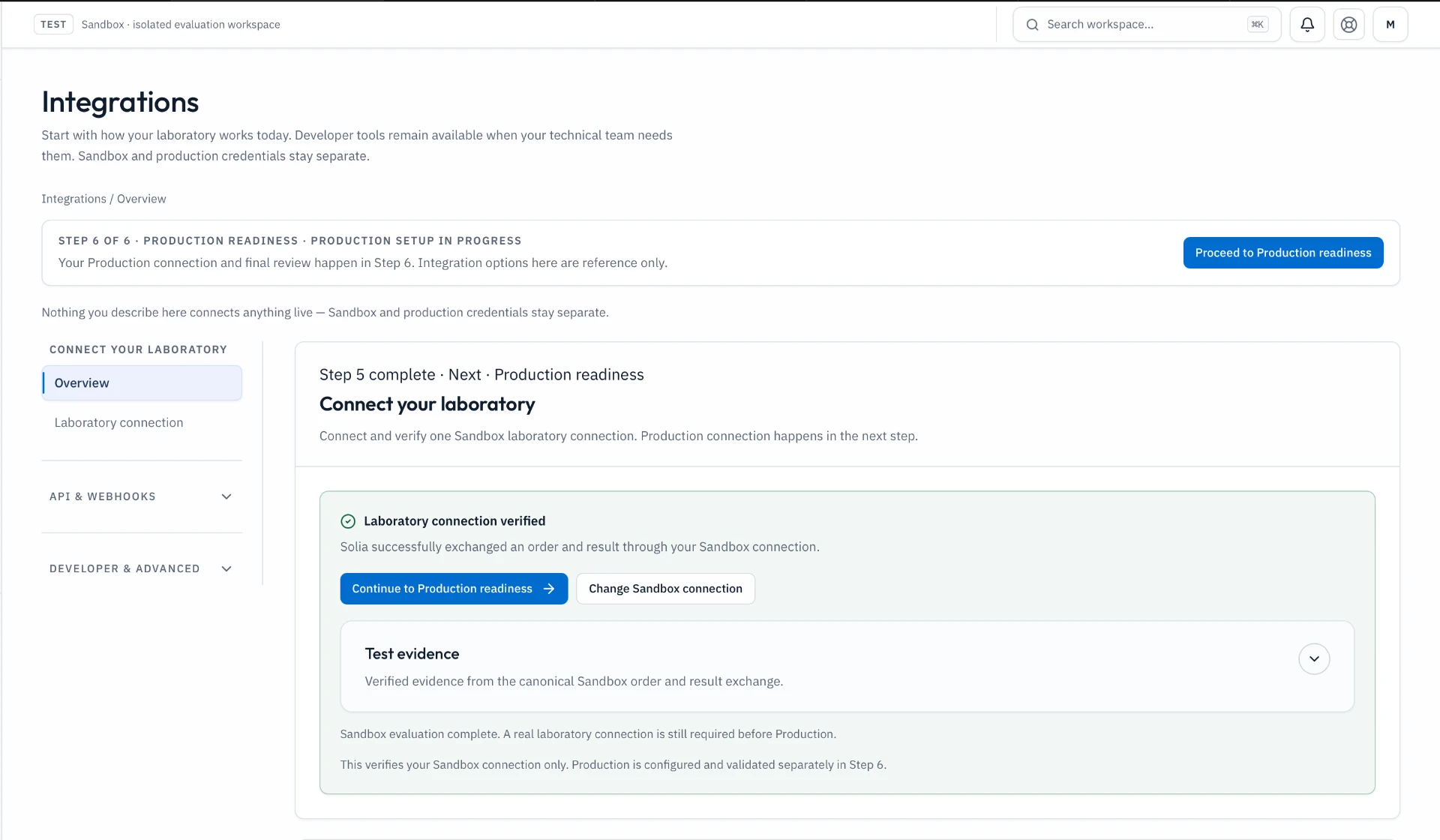
03
Connect and activate
Validate the real interface, then launch compatible programs.
- Review launch readiness and unresolved requirements
Getting started
Set up your laboratory. Activate when ready.
Start in Sandbox. Move into Production when your laboratory connection and Program are ready.
- 01
Configure your lab
Define the laboratory, testing and Program configuration.
- 02
Prove it in Sandbox
Validate the workflow with synthetic/test activity.
- 03
Connect & launch
Connect the Production laboratory interface, validate readiness and activate when ready.
Get started
Connect once. Launch the next program faster.
Configure your laboratory in Sandbox, prove the workflow, then connect for Production.
01
Partner programs
Power testing for organizations your laboratory serves.
02
Lab-owned DTC
Launch consumer testing under your laboratory brand.
03
Partner API
Give approved partners program-scoped access.
04
Control Plane
Manage programs, orders, results, integrations and readiness.
Free sandbox evaluation.