
Platform
One laboratory foundation for every diagnostic program.
Solia Direct is an operating and connectivity layer for diagnostic laboratories. Connect the laboratory once and reuse that infrastructure across multiple Programs and partners through one Control Plane and Partner API—without replacing the LIS/LIMS.
Self-service evaluation · Managed integration · Controlled activation
The platform
Six connected parts. One platform.
One reusable operating and connectivity layer around the systems your laboratory already runs.
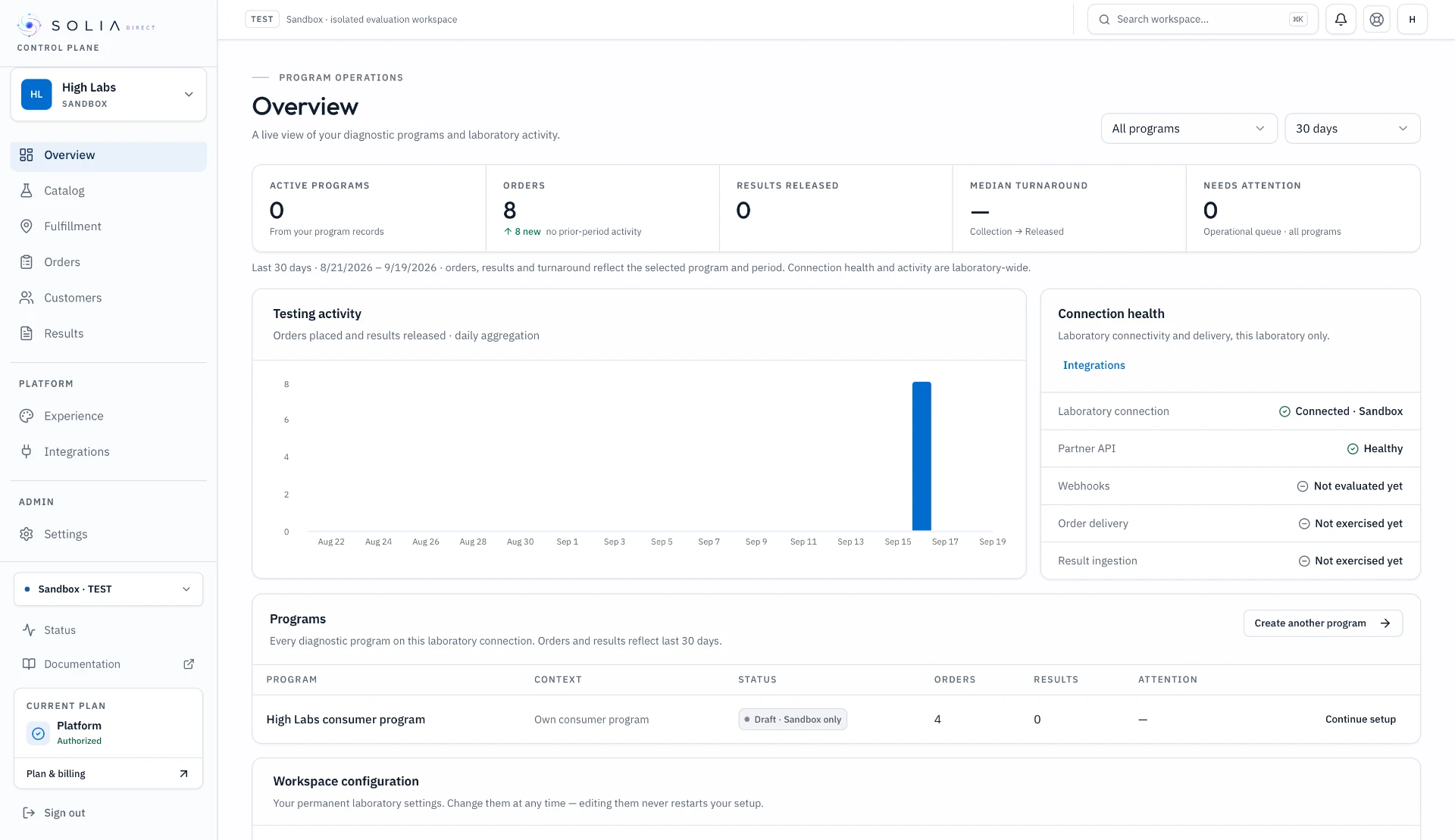
Control Plane
Operate programs, catalog, orders, results, integrations and readiness from one laboratory-facing interface.
Inside the Control PlanePartner API
Give authorized partners program-scoped access to catalog, serviceability, ordering, status, results and webhooks.
Explore the Partner APIPrograms & Catalog
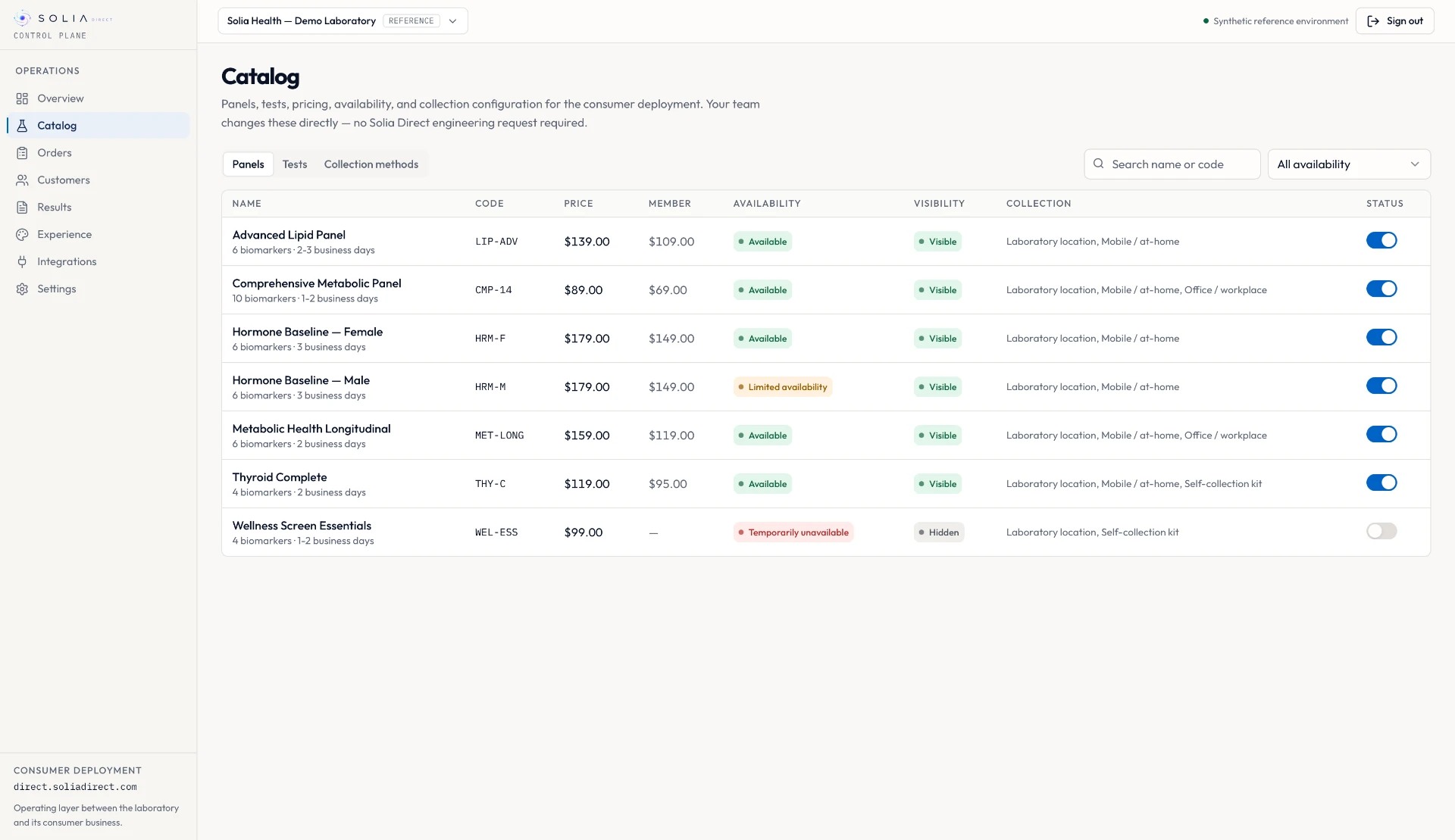
Configure partner, catalog, rules and commercial settings against one reusable laboratory foundation.
Programs & catalogOrders & Fulfillment
From consumer order through provider requirements, collection, laboratory handoff, status and released results.
Orders & fulfillmentResults
Receive and deliver released results with versions, provenance and operational status.
Results & longitudinal healthLaboratory Connectivity
Connect LIS, LIMS, APIs, files or supported interfaces through governed Production readiness and validation.
Connect your laboratorySelf-service configuration
Configure the repeatable parts yourself.
Laboratory teams can configure the parts that should be repeatable without waiting on engineering.
Laboratory profile
Identity, operating model and reusable laboratory configuration.
Tests & mappings
Panels, tests, biomarkers and core laboratory mappings.
Serviceability
Where the laboratory can fulfill and under which requirements.
Collection model
Draw sites, partner networks, mobile phlebotomy or self-collection.
Diagnostic Programs
Partner, catalog subset, pricing, geography, branding and access.
Team & routine configuration
Users, roles and day-to-day operating settings.
Managed underneath
Complex integration stays managed.
Routine configuration is self-service. Integration and production work remains managed where safety, security or laboratory-specific engineering requires it.
Laboratory integrations
LIS/LIMS, laboratory APIs, HL7/FHIR/SFTP and proprietary interfaces where required.
Clinical workflow
Order routing, specimen requirements, provider workflows, result mapping and release controls.
Validation & readiness
Configuration checks, integration validation, exceptions, observability and launch readiness.
Deployment control
Staging/UAT, verified domains, production credentials and controlled go-live.
Lifecycle
From evaluation to production on one governed platform.
01
Create workspace
Start in an isolated Sandbox.
02
Configure laboratory
Add profile, tests and operating model.
03
Test in Sandbox
Run a synthetic partner workflow.
04
Connect laboratory
Configure the real Production interface.
05
Production readiness
Validate mappings, lifecycle, results and evidence.
06
Activate
Go live after technical and commercial approval.
Production activation is Solia-controlled. Laboratories cannot self-activate a production deployment.
Connect once. Launch the next program faster.
Configure your laboratory in Sandbox, validate the workflow, then connect for Production.
Comparing the operating layer against engagement platforms, diagnostic infrastructure APIs, an internal build or your existing LIS middleware?
Compare Solia Direct